Pear Deck in the (Virtual!) Comprehensible Input Classroom

I’m sure most of you, like me, are excited to put 2020 behind you and welcome a fresh start with 2021! New Year’s is a great time to reflect on the prior year: what worked, what didn’t, what to keep, what to toss, and what to change.

Virtual learning and teaching is an aspect of 2020 that I’m sure many of us are not excited to bring into 2021, but for most of us remote and hybrid schooling is here to stay for a while. It hasn’t been all bad, though. While I’m sure we can all agree that nothing will replace high-quality, face-to-face instruction, there are actually parts of remote learning I would like to continue using in my practice when the world returns to “normal.”

Photo by Kampus Production on Pexels.com

One of the tools I discovered while teaching remotely that I plan to continue using is Pear Deck and its extension for Google Slides. I’m ashamed to admit that a colleague recommended it to me pre-COVID and I never looked into it. I was totally missing out! Now I’m eternally grateful that our school’s administration bought us a site license so we can use the Pro version all year long. If our school does not purchase a license for next year, I will definitely use my departmental budget to buy a Pro membership for myself. It has completely revolutionized my teaching and I can’t imagine going back now!

At the beginning of the school year, I spent a lot of time brainstorming how I could adapt the Comprehensible Input (CI) strategies I’d honed in the real-life classroom for an online environment. Initially having a conversation-based class through an online platform seemed like an impossible task, but Pear Deck has been the key to replicating most of my most successful face-to-face lessons. In fact, when I was observed in November my supervisor even said that for a moment he forgot we were all online because it felt just like sitting in my “normal” class.

My supervisor even said that for a moment he forgot we were all online because it felt just like sitting in my “normal” class.

How did I manage to replicate in-person learning so well? At the beginning of last school year, I made a set of 32 Google Slides for use with Pear Deck in a virtual or hybrid CI Spanish classroom. After using them for the first month or two of the school year, I tweaked them slightly. However, upon reviewing them at the beginning of this semester, I didn’t have any changes to make. They have become a staple in my class and I use them literally every day. 

The first few slides replicate my beginning of class routine whether virtual or in-person. There’s a readiness checklist, objectives,  expectations, and goal-setting. For example, my interactive goal-setting slide replaces the Interpersonal Communication rubric I give students when we’re in-person to set a goal for the day and then reflect on at the end of class.

Then I have interactive slides for all the other parts of my daily in-person CI routine. I use these for all levels (I currently teach Spanish 1 and Spanish 4).

Daily topics in my class include the date, the weather, feelings, what you did recently, and what you plan to do in the near future. Carrying these daily routines from my in-person classroom in the virtual environment has brought me a lot of confidence and comfort as a teacher during these uncertain times.

My standard Pear Deck slides also include a few different types of Checks for Comprehension (CFUs) that can be used in almost any type of lesson.

Finally, I have a few templates for interactive Exit Tickets and Mindfulness Moments. I think it’s nice to wrap up with an academic exit ticket some days, and more of a Social Emotional Learning (SEL) exit ticket other days.

My students report loving Pear Deck as much as I do. It lends itself to a very conversational style of classroom, where all students can easily have their “voices” heard without having to turn on their camera, unmute their mic or type in the chat. Some of my most engaging lessons were inspired by the tools that Pear Deck offers! It has allowed me to do so many more communicative tasks and discussions than I ever did pre-COVID, because I wasn’t adept enough at managing the whole-class conversation piece without Pear Deck.

From an accountability standpoint, Pear Deck is a teacher’s dream. It’s easy for me to see in real-time which students are participating or not (so I can praise or nudge as necessary using the private commenting feature). It allows for both pre-planned and in-the-moment checks for understanding or discussion topics.

After class, Pear Deck creates a report with each student’s individual answers in my Google Drive and also sends it to their email. That report has been a lifesaver when students, administrators or parents want to see more concrete information about how a student is doing in class. Lastly, the export to spreadsheet feature has made grading classwork and participating a breeze this year.

I haven’t taught a single class without using Pear Deck this semester, and I personally use the Spanish CI Pear Deck slides that I created in every single class. They are so easy to copy and paste and drop into any Google Slides presentation. They have been my most popular Teachers Pay Teachers product by far. It brings me immense pride and satisfaction to know that other teachers are using the same slides in their classrooms. I sincerely hope they are as helpful to you as they have been to me!

Are you looking for increased engagement and accountability in your CI classroom? Are you just getting started with Pear Deck and don’t know where to start? Have you been using it for a while but need some fresh ideas? You can find my EDITABLE Spanish Pear Deck Slides for Remote Learning in my Teachers Pay Teachers store for quick and easy use in your own in-person, virtual or hybrid classroom!

High Frequency Word Wall

I recently did three days of professional development focused on Teaching with Comprehensible Input (TCI). We spent three hours one afternoon learning (or better yet, acquiring) Chinese with an experienced TPRS/TCI teacher.

Any time I switch roles and become the language learner, I’m reminded of just how hard the process of language acquisition is. It requires an immense amount of focus and cognitive work. I felt like my brain was getting overheated from all the gears turning! 😉 Don’t let anyone tell you TCI isn’t rigorous! We were exhausted afterward! And the coolest part is I still remember all the Chinese I acquired two weeks later!

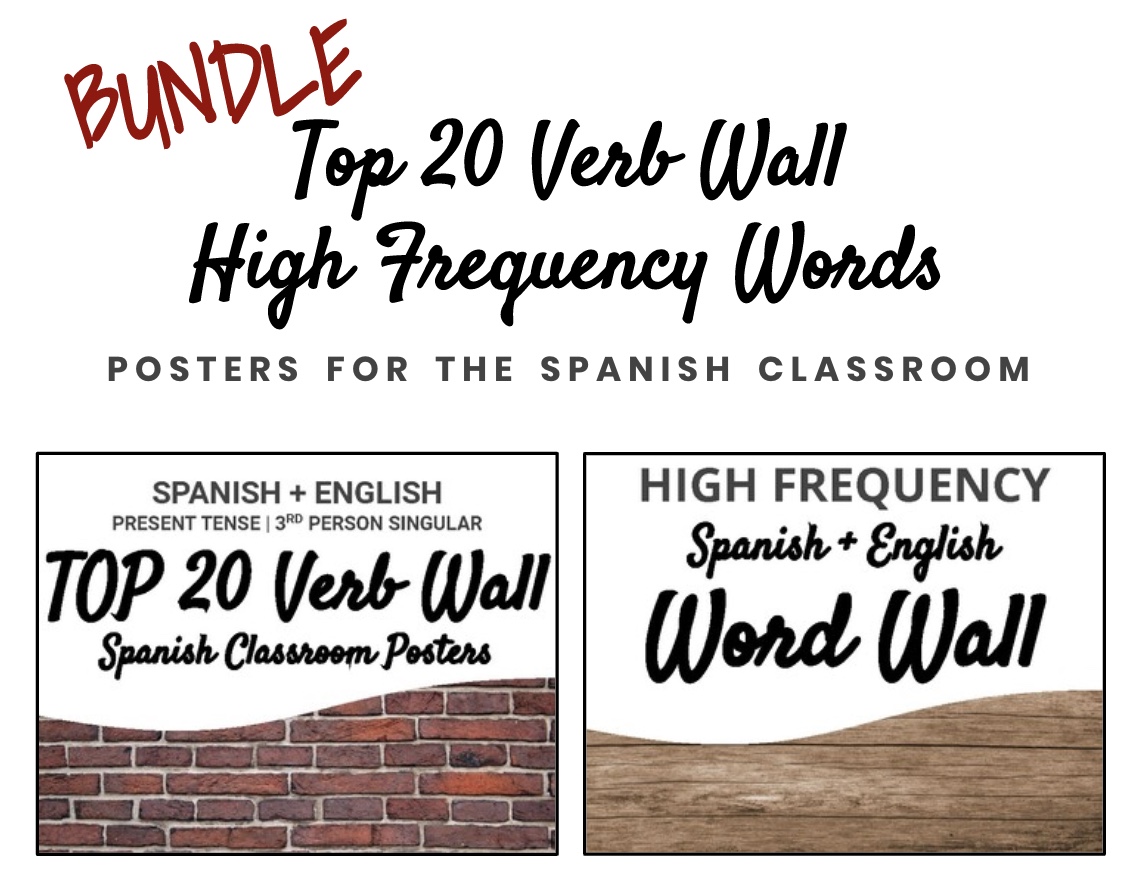
One thing that the Chinese teacher did before her lesson was put up a word wall with high frequency vocabulary she wasn’t targeting as part of her lesson, but might be useful while circling or co-creating the story she’d planned. It inspired me to create these high frequency vocabulary words to add to my ever-growing word wall! I used a list of 100 Most Frequently Used Spanish Words as a starting point – excluding verbs. I already have my Top 20 Verb Wall posters for those! In the end, I have 64 high frequency word wall posters I can put up and switch around as needed.

Another thing the Chinese teacher had posted was some visual reminders of her classroom rules and some fun rejoinders that she could point to whenever the perfect moment arose. It’s a good thing I have plenty of blank wall space to work with in my new classroom! There is just so much helpful language you can make available to students that will ensure your lessons are not only comprehensible but also engaging.

Do you need to revamp the word wall in your classroom? You can find both of my word wall sets as a Posters Bundle in my Teachers Pay Teachers store for quick and easy use in your own classroom!

More Posters for the Spanish Classroom

I recently learned that instead of teaching Spanish 1 and 3 like I thought I was going this coming school year, I will actually be teaching Spanish 1 and 4! I already had a lot of ideas for Spanish 3 that I’m hoping I can adjust to use in the Spanish 4 classroom, mostly because I was so excited about using them!

Continuing off my Top 20 Verb Posters from my last post, I’ve been hard at work making matching posters for my classroom. The last set I want to make is a massive word wall project with words I can put up and take down as needed… I think that will take the most work but be the most worthwhile!

The first set of posters I made to match my Top 20 Verb Posters was this series of Spanish Question Words Posters. This series provides a visual and English translation for the Spanish interrogative words: QUIÉN, QUÉ, CUÁNDO, DÓNDE, POR QUÉ, CÓMO, CUÁL, CUÁNTO, and CUÁNTOS.

Like my other posters, each grayscale Spanish Question Words Poster is the size of one letter size piece of paper and is ready to be printed onto colored paper or cardstock.

The second series of classroom posters I created recently provides a visual for the following useful classroom requests: ¿Puedo ir al baño? ¿Puedo tomar agua? ¿Puedo llenar mi botella? ¿Puedo ir a mi armario? ¿Puedo ir a la oficina? ¿Puedo ir a la enfermería? ¿Puedo ir a la biblioteca and ¿Puedo usar mi teléfono?

Also included are classroom posters with visuals and English translations for the following useful classroom questions and phrases: ¿Cómo se dice…? ¿Qué significa…? ¿Cómo se escribe…? Necesito ayuda. Tengo una pregunta. No entiendo. No sé. Repite, por favor. and Más despacio, por favor.

As usual, each grayscale Useful Phrases and Questions Poster is the size of one letter size piece of paper and is ready to be printed onto colored paper or cardstock.

Have you been looking for eye-catching posters for your Spanish classroom? You can find these two sets as a Posters Bundle in my Teachers Pay Teachers store for quick and easy use in your own classroom!

Spanish Verb Ending Posters for TPRS/CI Classrooms

As I mentioned in my last post, one of my goals for next school year is to weave an appropriate amount of grammar into my Spanish classroom while not detracting from the goals of TPRS and Comprehensible Input.

With that in mind, I created these Spanish Verb Endings Posters that provide just the endings for the major Spanish verb tenses. My hope is that these can be used to support pop up grammar explanations and help students who have an interest in increasing the accuracy of their output. ††

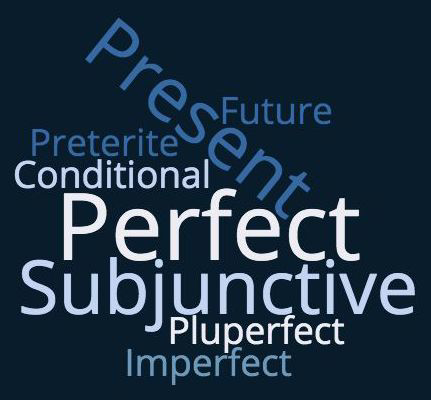
My first goal with the posters was to label the tenses in a way that would be accessible to students with little to no grammatical knowledge. The tenses included are:

  • PRESENT
  • UNCERTAIN PRESENT (Subjunctive)
  • ONGOING + DESCRIPTIVE PAST (Imperfect)
  • SUDDEN + COMPLETED PAST (Preterite)
  • UNCERTAIN PAST (Subjunctive)
  • _ING (Progressive)
  • WILL (Future)
  • WOULD (Conditional)
  • HAS _ED (Present Perfect)
  • HAD _ED (Past Perfect)
  • WOULD HAVE _ED (Conditional Perfect)
  • WILL HAVE _ED (Future Perfect).

Because I will be teaching Spanish 1 and Spanish 3 next year, I don’t think I will have all of these posters up all year long. I will likely put them up as needed for pop up grammar and to bring students’ attention to a particular feature while reading.

Having taught Spanish 3 and Spanish 5 for a few months as a longterm sub, I do know that questions about all these different verb endings do start to come up when you teach the higher levels. In Spanish 3, we read the novel Santana which includes a lot of imperfect, preterite, and present subjunctive verbs. In Spanish 5, we read La Hija del Sastre which includes a lot of conditional, past subjective and perfect tenses. It would have been nice to have something like these posters to quickly point to when questions arose about those tenses while reading!

Could you use these Spanish Verb Ending Posters for TPRS/CI Classrooms (All Tenses) to support pop up grammar in your Spanish classroom? Save yourself the trouble of making them by purchasing them from my Teachers Pay Teachers store!

Top 20 Verb Posters for a Comprehensible Spanish Classroom

Thinking about next year, I decided to create some useful posters for word walls with the Spanish verbs that are most important for comprehensibility.

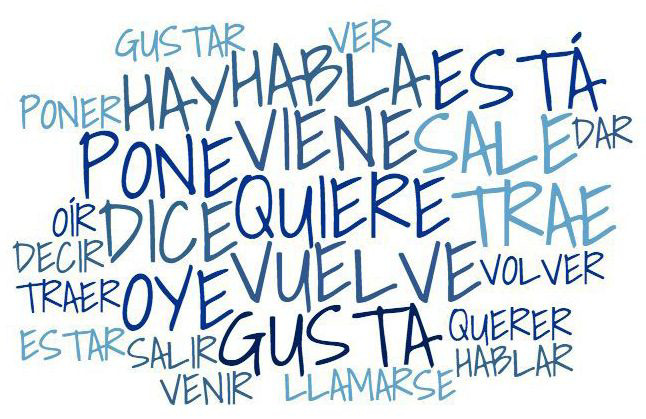
I’d heard of the Super 7 and Sweet 16 verbs on Martina Bex’s The Comprehensible Classroom blog. Searching a bit on the internet, I found that there a few different versions of these “top verb” lists floating around. By combining them, I came up with the Top 20 Verbs for a Comprehensible Spanish Classroom.

Last year, when I first started implementing TPRS and Comprehensible Input with my middle school Spanish 1 classes, I had probably half these verbs posted on my wall with their English translations and present tense conjugations. The posters I threw together last year were not very well made or attractive, but they were still useful to reference while providing comprehensible input, when providing pop up grammar explanations, and for students to reference when monitoring their own output.

Looking forward to next year, when I’ll be teaching high school Spanish 1 and Spanish 3, I wanted a variety of posters I could try out to see what works best with novice to intermediate students (not to mention my still-developing teaching style). I knew I could definitely improve on what I already had from last year. Summer seems like the perfect time to do this sort of tinkering!

The first set of Top 20 Verb Posters I created were based on the type of word walls I’ve seen in many of my colleagues’ classrooms.

If you’re only going to choose one form of a verb to post in your classroom, third person present seems to give you the most “bang for your buck” when it comes to TPRS. Third person present is so useful for circling, storytelling and story-asking, and most readings are in third person present. Also, typically the you, they and (sometimes) we forms can be formed with a simple addition to the third person present verb.

In this set, each Spanish and English word takes up a half page (letter size), which seems to be the size I see most often for word walls. Because many teachers I know don’t have easy access to color printing, I purposefully made these (and all the posters in this series) grayscale. However, they could easily be printed on colored paper or cardstock to add some visual interest to your classroom!

In fact, I made sure the Spanish and English words were separated (the first 10 pages are the Spanish words, the last 10 pages are the English words) so that it would be easy to print each language on a different color of paper. Having the Spanish and English words separated also makes it easy to put up and take down the English translations as needed without taking down the Spanish words!

Would these simple but powerful verbs make a perfect addition to your classroom word wall? You can save yourself some time with the TOP 20 VERBS for Word Walls – Separated Spanish + English (Present, 3rd per.) available in my Teachers Pay Teachers store!

As useful as the present tense can be, I began to think about an alternative word wall that could be used by both novice and intermediate learners (since I’ll be teaching both Spanish 1 and Spanish 3). That thought inspired this set of Top 20 Verb Posters which include the third person forms in the present, preterite and imperfect.

Because I want to foster an environment focused on comprehensibility and not grammatical correctness, I thought long and hard about how to include the past tense forms.

In the end, I chose to describe them as the “Ongoing and Descriptive Past” (imperfect) and the “Sudden and Completed Past” (preterite). My hope is these posters will better support pop up grammar explanations and students monitoring their own output than if I’d simply put the grammatical terms.

In addition to the written descriptions of both past tenses, I also chose to include visual representations in the form of a wavy underline with arrows on the ends (imperfect) and a straight underline with finite ends (preterite). I think the two types of underlines complement the written descriptions and will help visual learners quickly differentiate between the two tenses!

Each verb prints onto a separate sheet of letter size paper, which makes it easy to put up and take down individual verbs as needed. Like my other set, these grayscale posters can be easily printed on colored paper or cardstock.

Do you also teach a range of levels that would benefit from having past tenses included in your word wall? These TOP 20 Spanish Verb Posters – Spanish + English, Present + Past Tenses posters are available for purchase in my Teachers Pay Teachers store!

The last set of Top 20 Spanish Verb Posters I want to experiment with next year are actually the most similar to what I had posted in my classroom last year – a word wall that presented all the present conjugations for each verb.

The problem with the posters I made for myself last year was that they presented the verb conjugations in the more traditional 2 x 3 grid we all learned “back in the day” in traditional, grammar-based classrooms. I’ve learned that presentation is not the ideal way to provide comprehensible input, avoid in-depth explanations of grammar and encourage students to monitor but not overthink their output.

The posters I’ve created for next year are better suited for supporting comprehensible input in a TPRS classroom. My goal with their formatting was to quickly establishing meaning in way that did not require complex grammatical explanations.

Underlining helps to highlight the commonalities between each form which is perfect for pop up grammar explanations and for students who wish to monitor the correctness of their own output.

Time will tell how I actually use these posters, but I probably won’t have every verb posted all the time. Instead, I think I will have the posters laminated and ready to put up for a few weeks while we are focusing on a particular verb.

Like the prior set, each verb in this set prints onto a separate sheet of letter size paper, which makes it easy to focus on individual verbs as I described above. And like my other sets, these grayscale posters can be easily printed on colored paper or cardstock.

Are you also looking for a way to present verb conjugations in a more comprehensible and student-friendly way? You can find these TOP 20 Spanish Verb Conjugation Posters – Present Tense in my Teachers Pay Teachers store for quick and easy use in your own classroom!

Back to School Student Survey for Secondary Students

Is it too early to be thinking about the next school year? I hope not! I’m getting excited for next year… I’ve been learning so much about TPRS and Comprehensible Input in the world language classroom that I can’t wait to implement!

With that in mind, I recently created this Back to School Student Survey for Secondary Students that I can’t wait to use with my high school students in Spanish 1 and Spanish 3. In addition to connecting with my students through what I learn from their answers, I’m hoping the questions will help me generate ideas for personalized stories and story asking throughout the year!

Although I created this survey for my foreign language class, there’s no reason it couldn’t be used in any secondary classroom! Do you need a survey for the first day of school? You can download mine as both a free PDF and editable Google Slides in my Teachers Pay Teachers store!

Welcome to my blog!

I’m so happy you’re here!

I’m a former English as a Second Language teacher that recently transitioned to teaching Spanish as a Foreign Language. While both subjects involve two of my passions – education and language – there is so much about teaching a foreign language that I didn’t know about before!

My first year teaching Spanish, I was introduced to TPRS and teaching through Comprehensible Input. It was a revelation for me, but not because I was a believer in traditional or grammar-based language teaching. As an ESOL teacher I was used to teaching through content, but looking back a lot of my focus was on communicative activities and student output. Probably too much focus.

The more I’ve learned about TPRS and Comprehensible Input, the more I’ve come to appreciate the importance of input in language learning. It is a hard transition for me as I am a bit of an introvert who prefers “hiding” in the classroom while my students take center stage. Introducing TPRS and Comprehensible Input into my teaching has forced me out of my shell since I’m more often the “star” of the classroom while providing input for my students. Luckily, I’m always excited to learn and grow as I will certainly be doing plenty of learning and growing in the next few years!

I’ve created this blog to document my journey as I prepare for my second year of Spanish teaching, and to share the resources and lessons I’ll create along the way!

Thank you for reading!

Design a site like this with WordPress.com
Get started